How PrecisionFX Works
Everything you need to go from sign-up to live copy trading — subscriptions, broker connection, lot sizing, drawdown controls, and what happens under the hood.
In this guide
Overview — what copy trading actually is
PrecisionFX runs a set of Expert Advisors (EAs) — algorithmic trading programs — on a professional master terminal connected to the live Forex market. When an EA opens or closes a trade on the master account, our server-side copy trading service instantly replicates that trade into your connected MT5 broker account.
You never need to install software, run a VPS, or leave your computer on. Everything lives on our dedicated server. Your broker account simply mirrors the master terminal in real time, proportionally scaled to your chosen lot multiplier.
Choosing your EA & subscribing
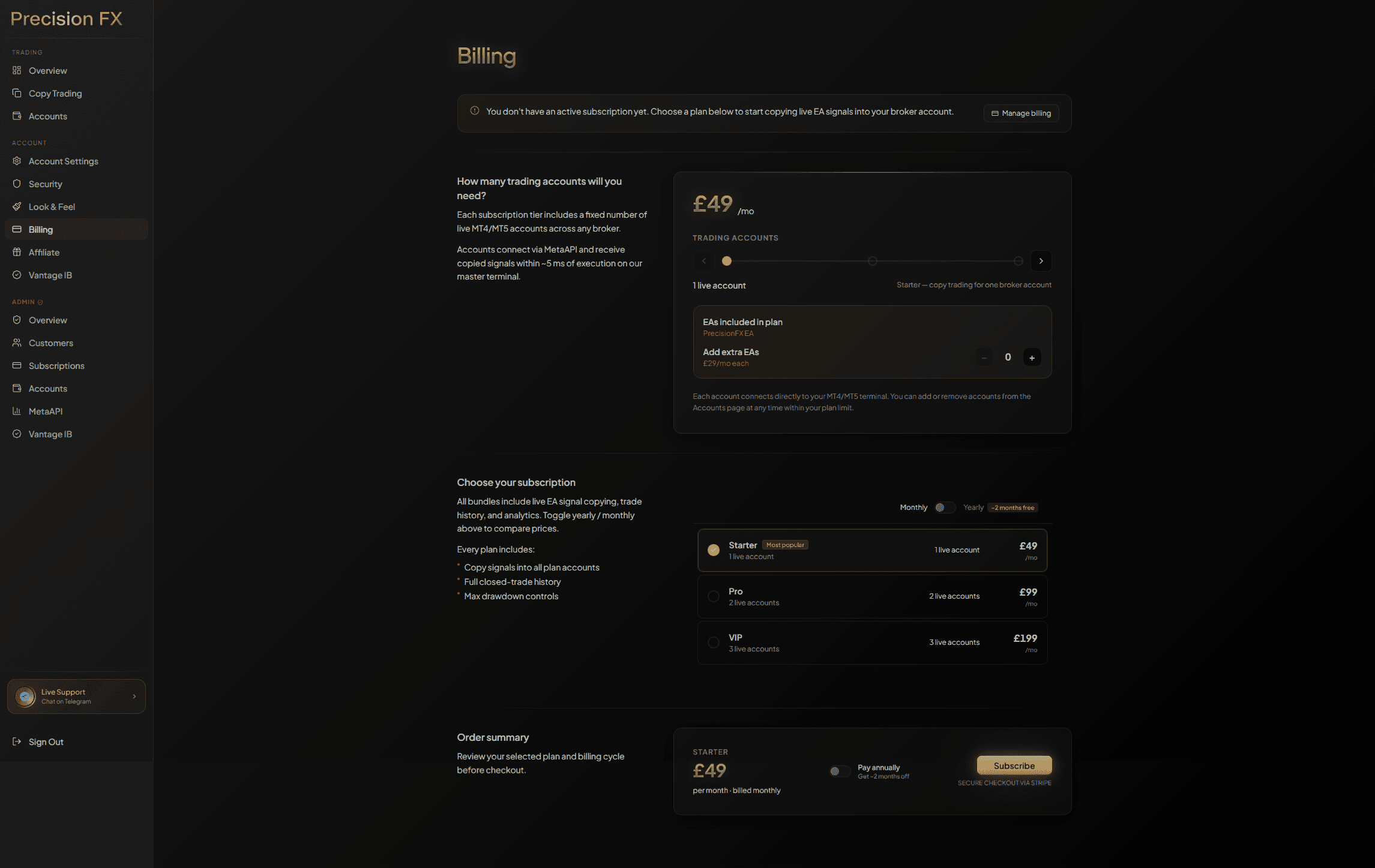
Head to the Pricing page and choose the plan that suits the number of live accounts you want to connect.
Plan overview
| Plan | Live accounts | Price | Best for |
|---|---|---|---|
| Starter | 1 live | £49/mo | Solo traders |
| Pro | 2 live | £99/mo | Serious traders |
| VIP | 3+ live | £179/mo | Full access & onboarding |
Subscribing via Stripe
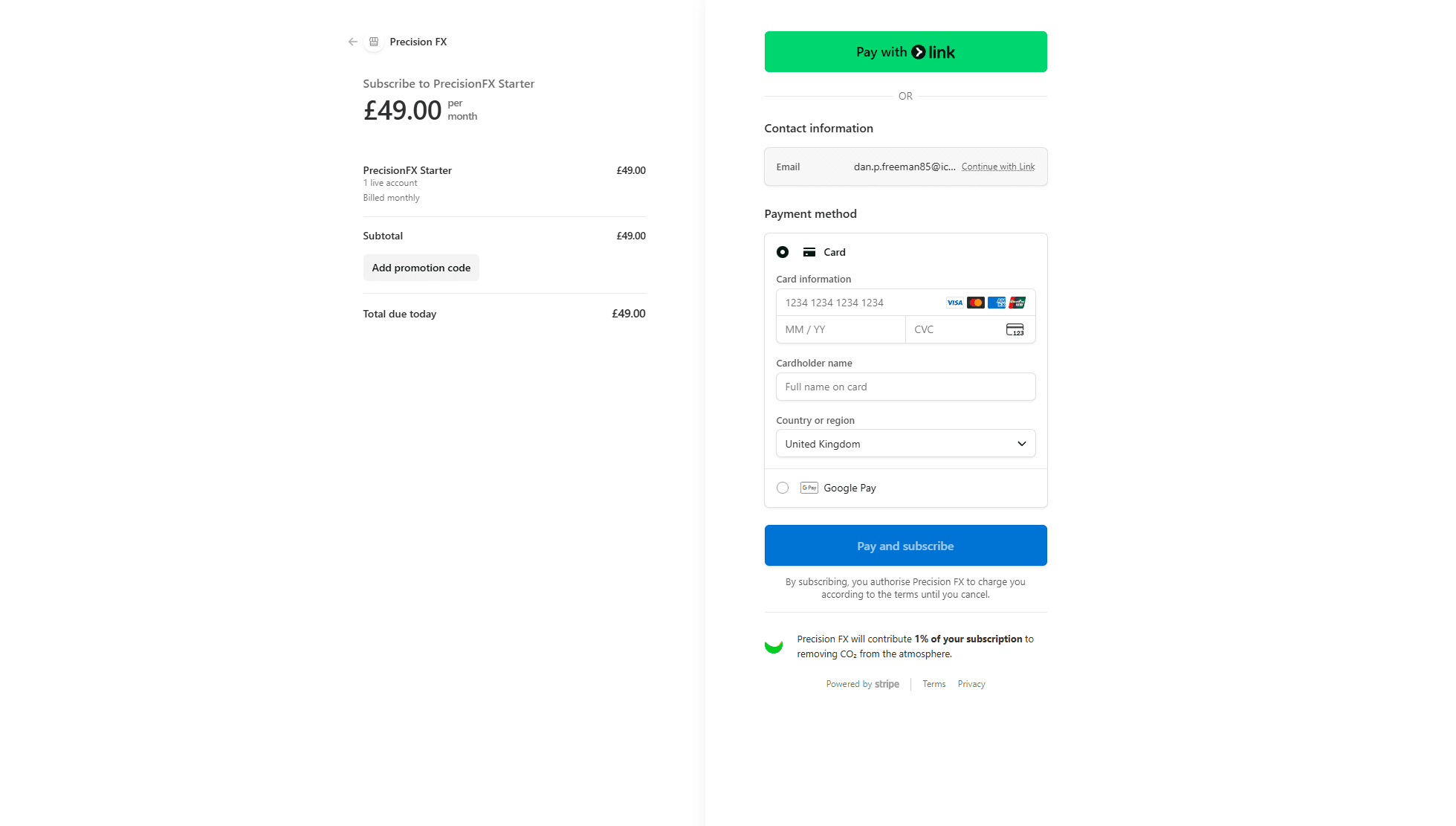
Click Get Started or Start Copyingon the plan you want. You’ll be taken to a Stripe-hosted checkout page. Stripe handles all payment processing — PrecisionFX never stores your card details.
- Enter your card details on the Stripe checkout page.
- Confirm payment — your subscription activates immediately.
- You’re redirected back to the dashboard, now showing your active plan.
Connecting your broker account
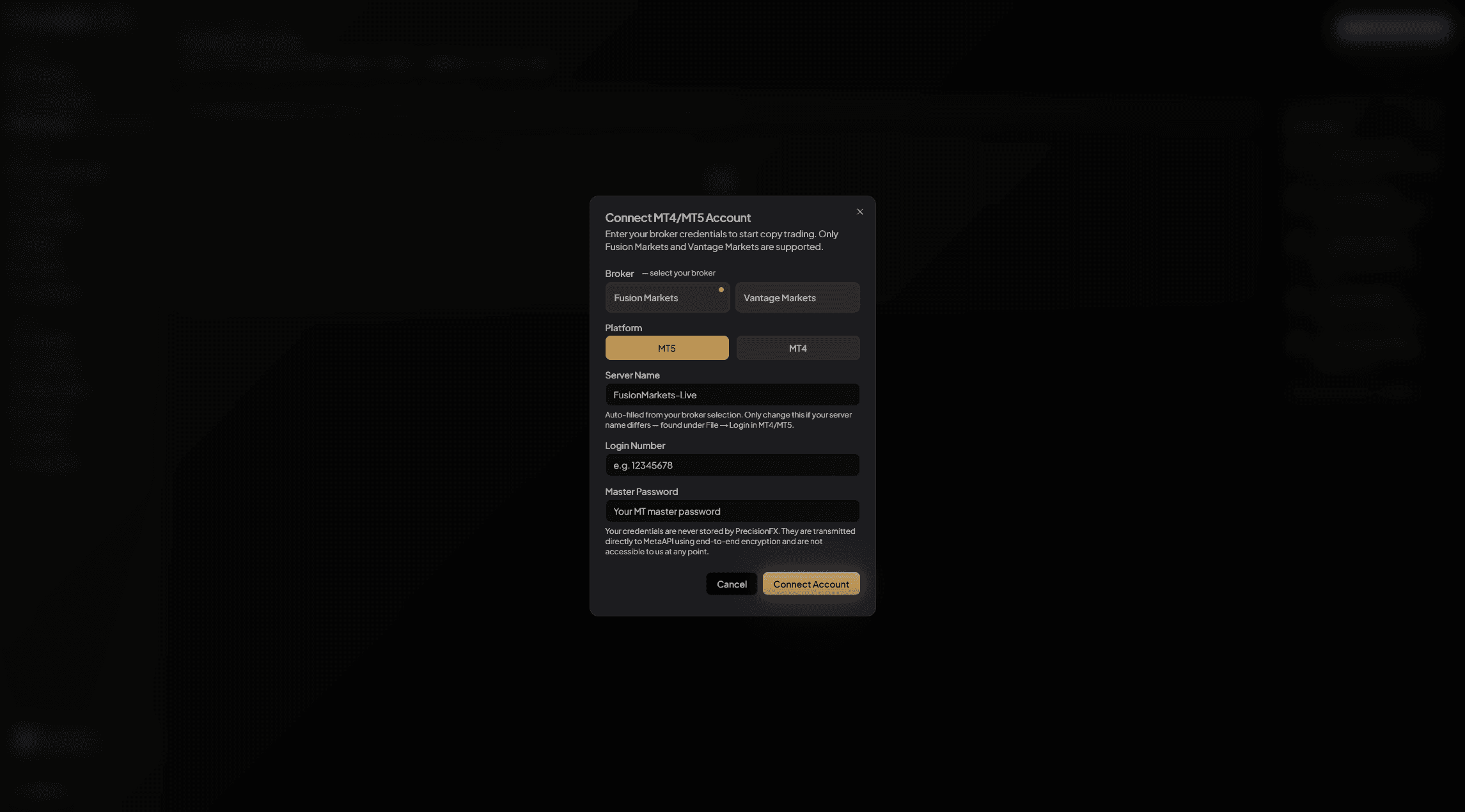
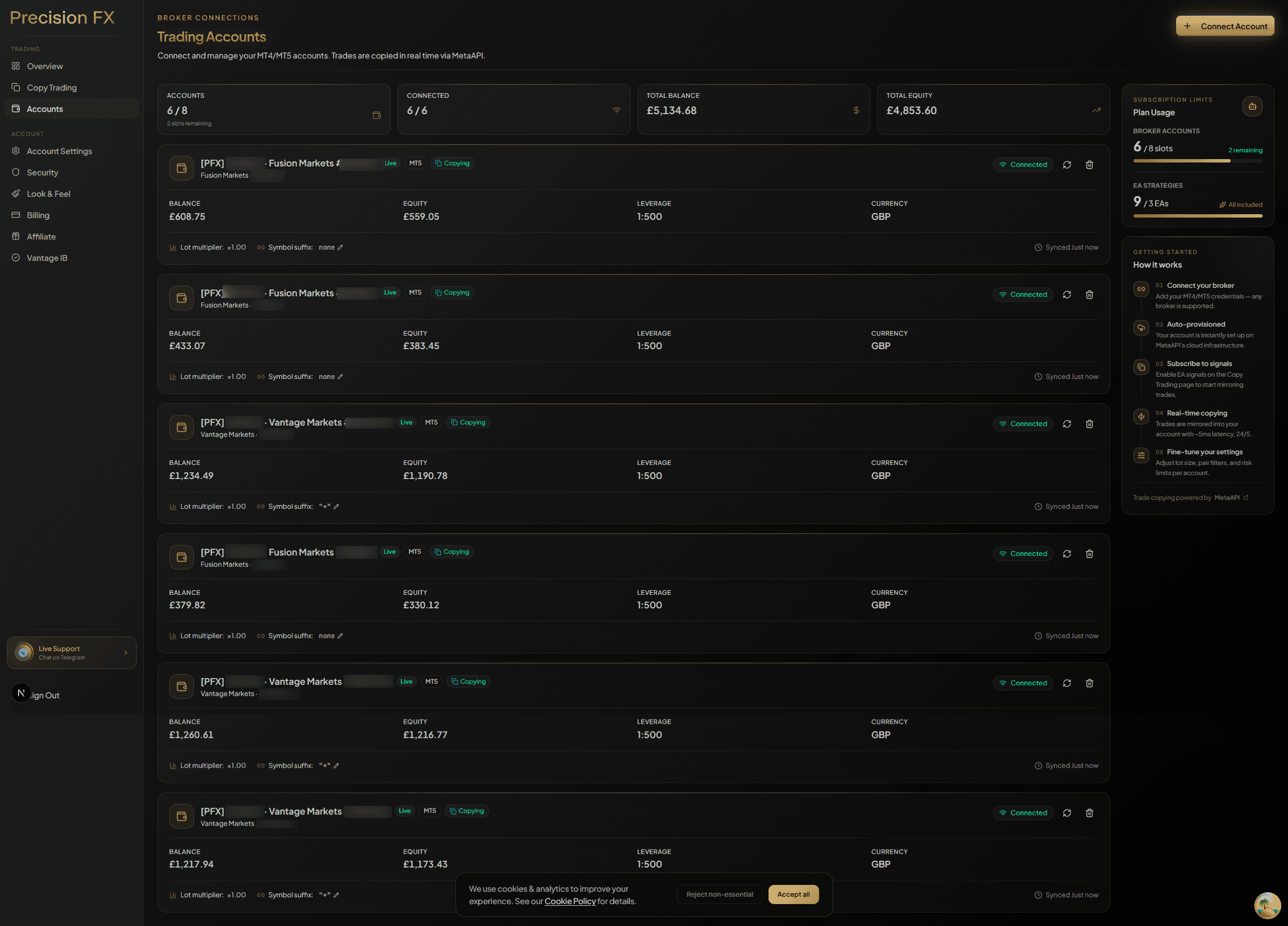
Navigate to Dashboard → Accounts and click Connect Account. You’ll be prompted for your MT5 broker credentials. PrecisionFX provisions your account server-side on our dedicated Windows terminal farm — no software installation or VPS is required.
What you’ll need
- MT5 login number — Found in your broker welcome email
- Main trading password — Use the main trading password — not the investor read-only password
- Broker server name — Shown in your MetaTrader platform under File → Login
Supported broker
PrecisionFX supports Fusion Markets — providing MT5 accounts with excellent execution quality for copy trading.
Live accounts
All plans connect live MT5 accounts. You can connect any supported broker account within your plan limit.
Live copy trading
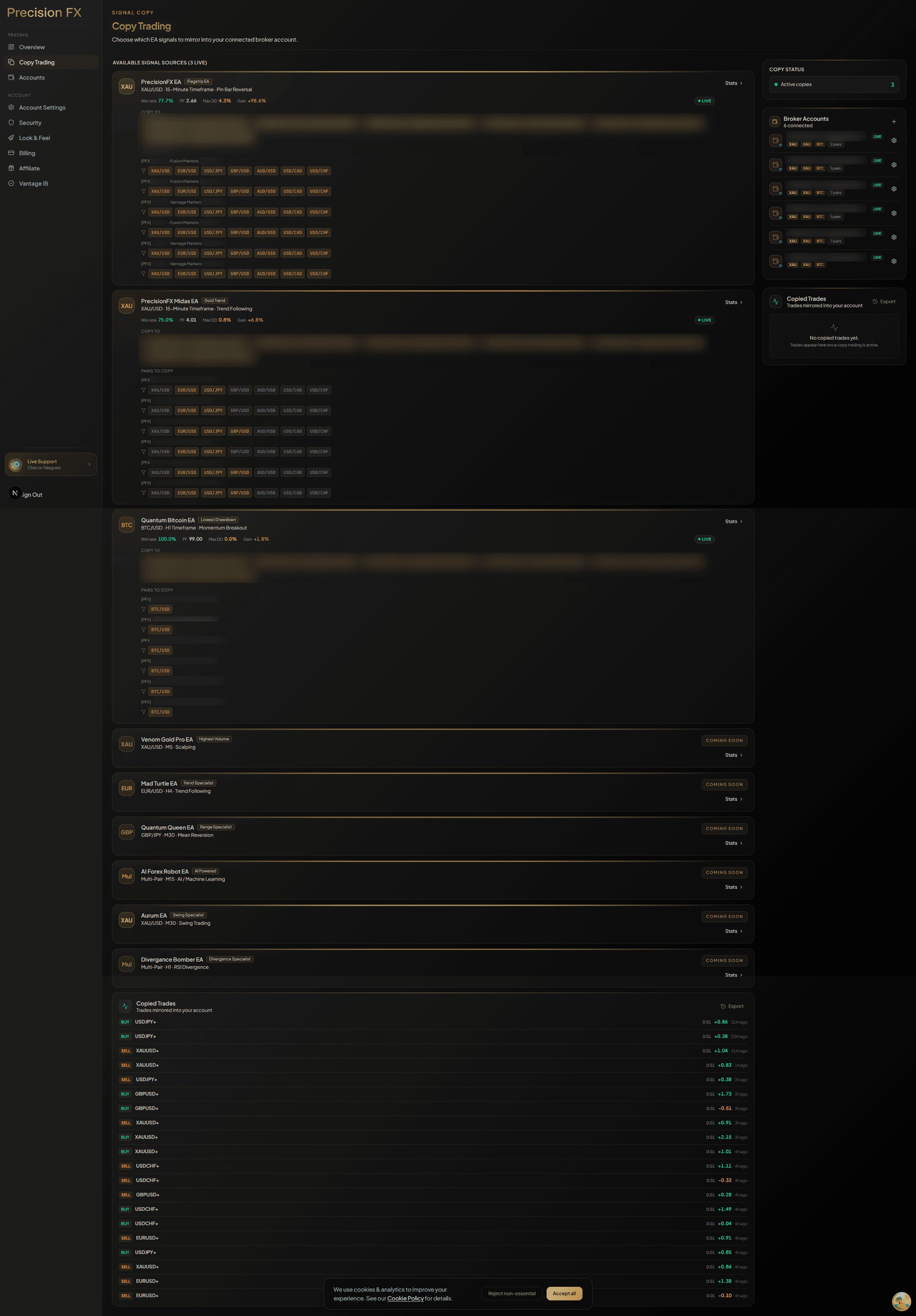
Once your account is connected and your subscription is active, copying starts automatically. There’s nothing to switch on. The next time an EA on the master terminal opens a trade, our copy service replicates it into your account within milliseconds.
What happens at trade open
- 1
EA signals a trade on the master terminal
The EA opens a position on the PrecisionFX master MT5 account running on our dedi server.
- 2
Copy service detects the signal
Our server-side Python service detects the new position within milliseconds by polling the master terminal.
- 3
Signal is broadcast to subscriber accounts
Your connected account receives the trade proportionally scaled to your lot multiplier.
- 4
Trade opens in your MT5 account
The copy service places the order directly in your broker account via your MT5 terminal. You see it appear in MetaTrader in real time.
Configuring lot sizes & drawdown limits
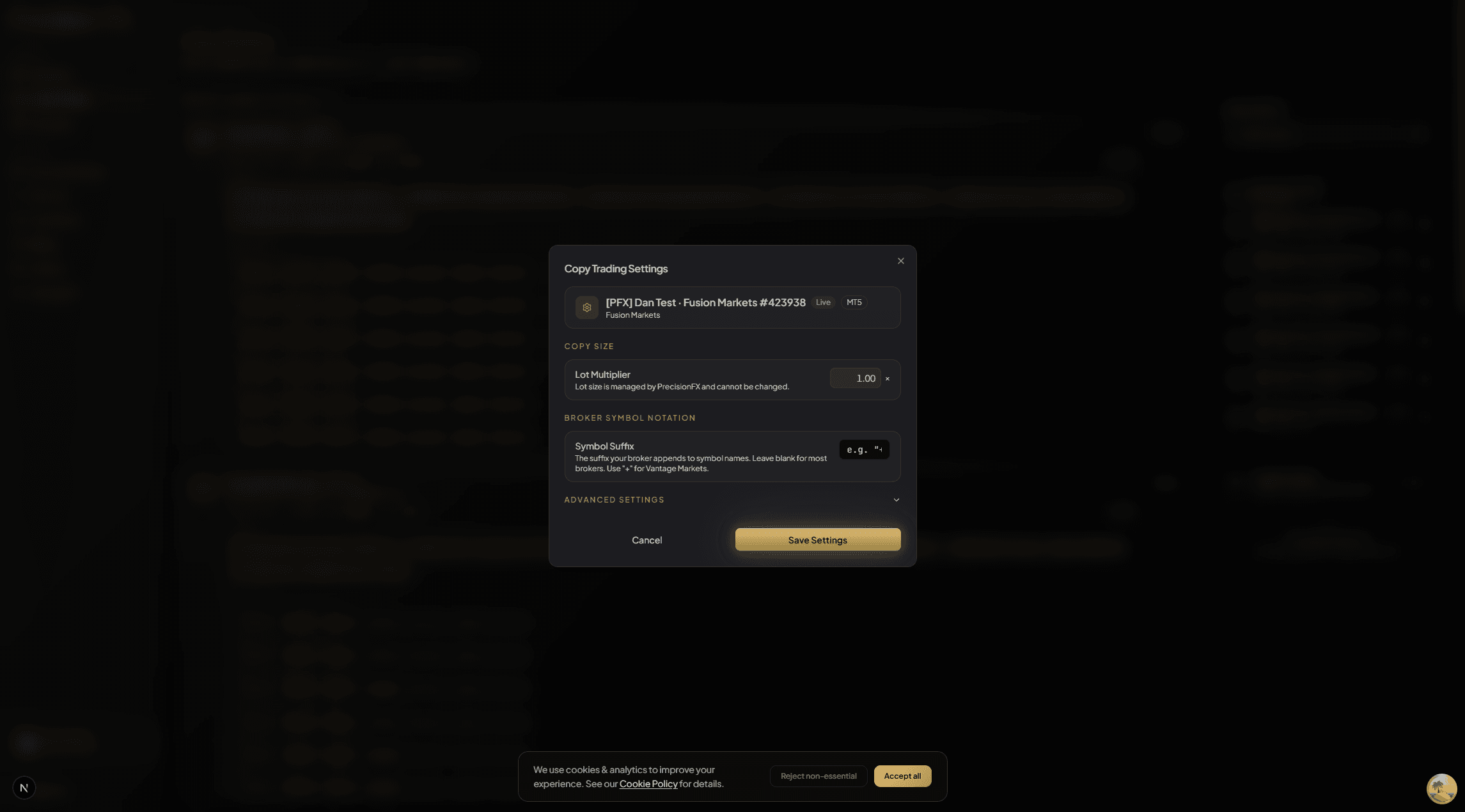
From Dashboard → Copy Trading, you can adjust how trades are scaled to your account. Two key settings control your risk exposure:
Lot multiplier
The lot multiplier scales the trade size relative to the master account. A multiplier of 1.0 copies trades at the exact same lot size as the master. Use a lower value (e.g. 0.5) to halve the risk, or a higher value to scale up.
Max drawdown limit
The max drawdown limit (expressed as a percentage of account equity) automatically pauses copy trading if your account’s drawdown exceeds the threshold. This is a safety net — if copying is paused by this limit, you can review the situation and manually resume once you’re comfortable.
Example: setting a 20% max drawdown limit means that if your floating loss reaches 20% of your starting equity, the copy service will pause copying for that account.
Understanding your dashboard
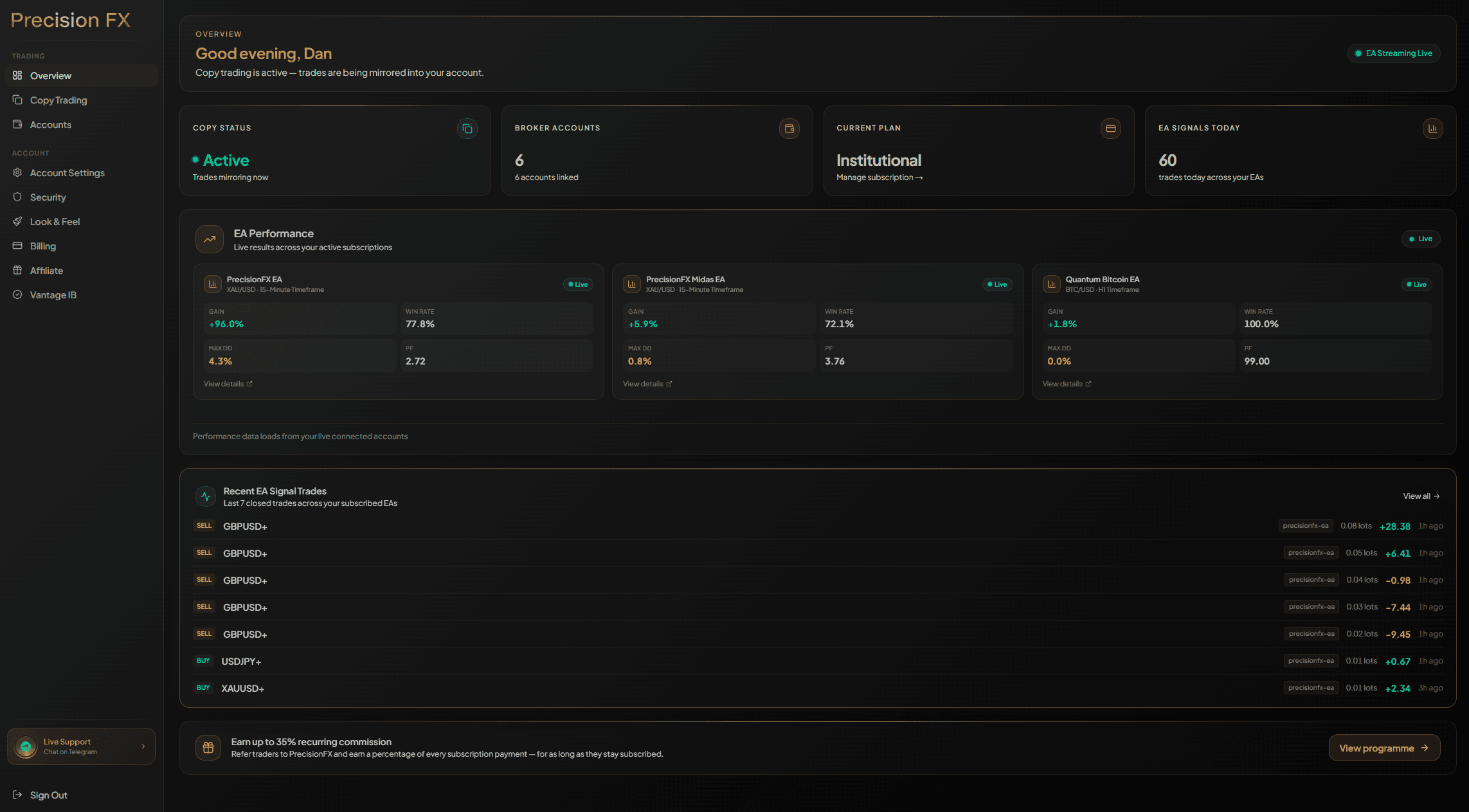
The dashboard gives you a real-time view of all connected accounts, synced balances, and trade history.
Overview
Live balance, equity, and floating P&L across all connected accounts. Synced every ~30 seconds.
Accounts
Manage your MT5 connections. Shows connection health, live balance, and last sync time.
Copy Trading
Enable/disable copying per account, adjust lot multiplier and max drawdown limit.
Trade History
Full closed-trade history with entry/exit prices, lot sizes, and P&L.
Billing
Manage your subscription plan, billing period, and payment method via Stripe.
Settings
Update your profile, notification preferences, and security settings.
FAQ & troubleshooting
My account shows Disconnected — what do I do?↓
This usually means your broker credentials have changed or the MT5 terminal session on our server has expired. Go to Accounts → disconnect → reconnect with your current password. If your broker requires periodic re-authentication this is normal.
A trade opened on the master but didn't appear in my account↓
Check that your account status shows CONNECTED and that Copy Trading is enabled for that account. If your max drawdown limit was hit, copying will be paused — reset it from the Copy Trading page.
Will existing open positions be closed if I cancel my subscription?↓
No. Positions already in your account remain open and are managed by your broker account normally. Only new signals are blocked once copying pauses.
Can I use multiple brokers on the same plan?↓
Yes — a VIP plan includes 3 live accounts, and you can add more from £29/mo each.
What happens during a news event or large market spike?↓
Trades copy in the same way as normal. The EA on the master account manages its own logic (e.g. PFX-2 Grid has a Virtual SL). Your stop-loss settings on your broker account apply independently.
How does the lot multiplier interact with the EA's lot sizing?↓
The master EA trades at a fixed lot size. Your multiplier scales that size proportionally. If the master opens 0.1 lots and your multiplier is 2.0, your account will open 0.2 lots.